

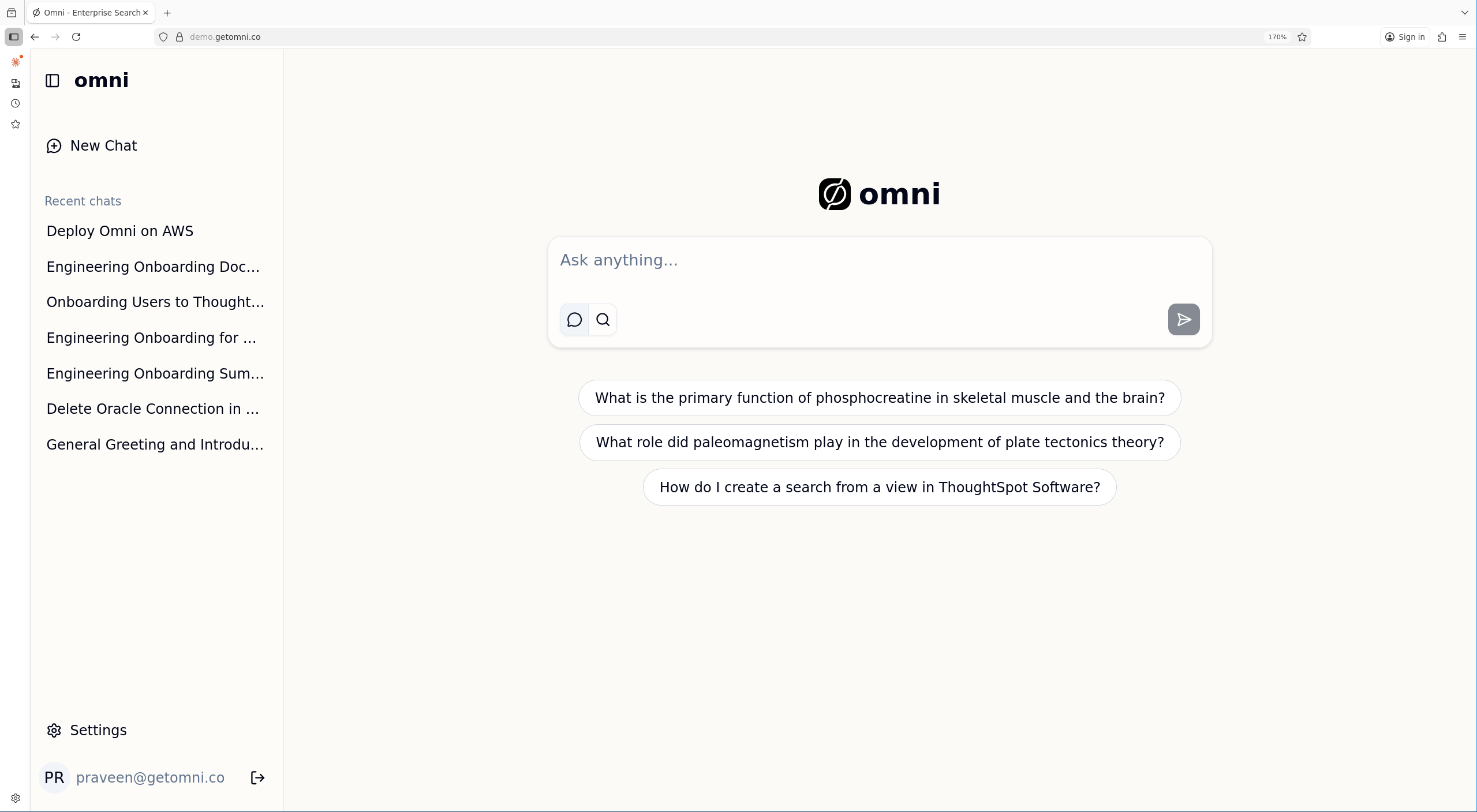
Toggle between Chat and Search modes using the icons below the input
Chat Mode
Use Chat mode when you want AI-synthesized answers with citations. The assistant searches your sources, can look up people in the directory, and can recall your previous chats when the answer is not in the workplace index.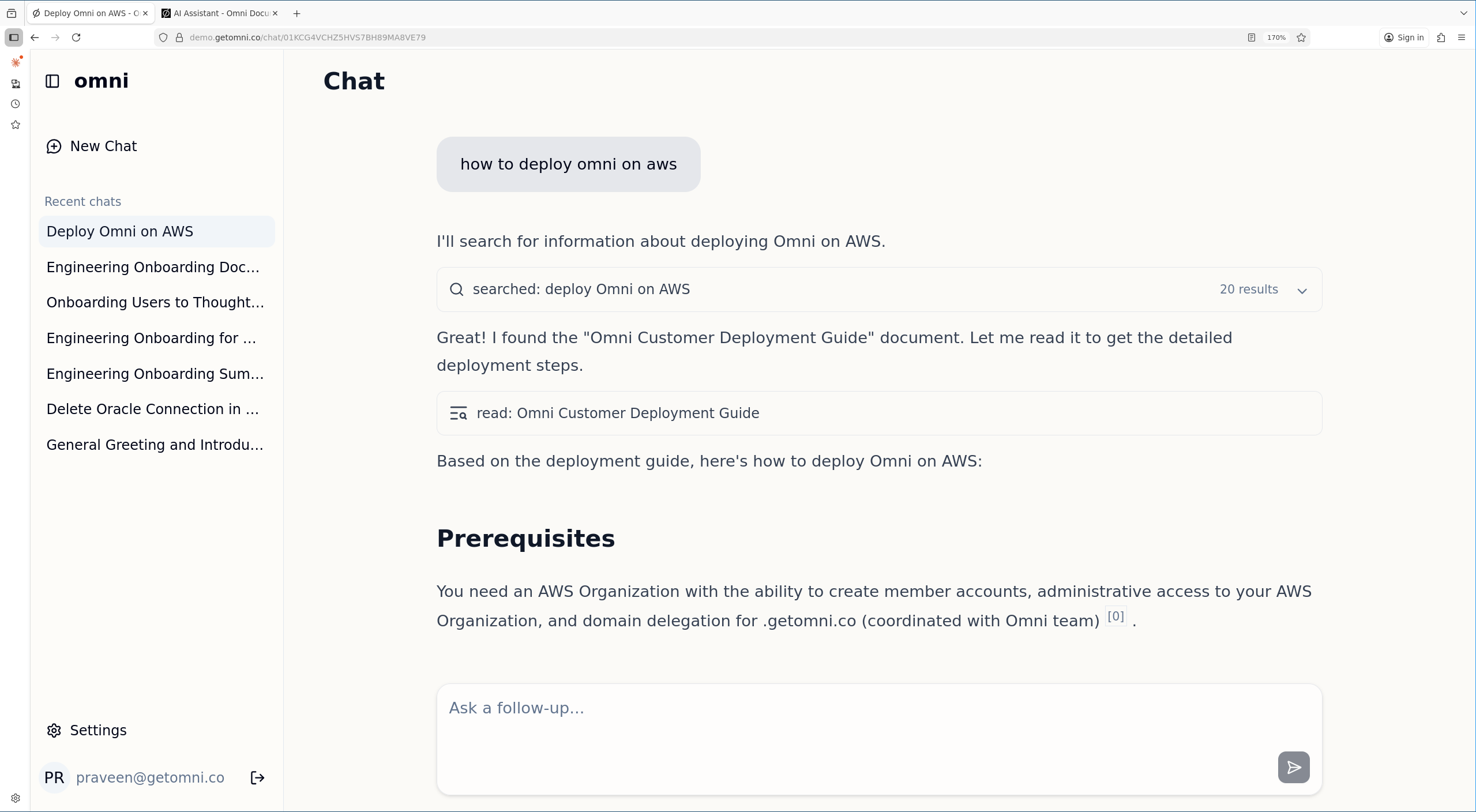
Chat mode shows the AI's reasoning and provides answers with citations
- Questions that span multiple documents
- Summarizing information
- Looking up a colleague’s role, department, or manager
- Recalling a decision or answer from one of your previous chats
- Follow-up questions in a conversation
Search Mode
Use Search mode when you want direct links to documents. Results are ranked by relevance and displayed as a traditional search results page. Best for:- Finding a specific document
- Quick document lookup
- Browsing available content
When to Use Each
Chat-Only Lookups
Chat can use capabilities that are separate from the document index:- People directory: Ask about a colleague by name, email, title, department, office, or manager. Directory records contain organization-visible fields and are separate from document permissions.
- Chat history: Ask the assistant to find and read your own previous Omni conversations when the information is not available in connected workplace sources. Chat history is scoped to the current user.
Filters and Operators
Both modes accept the same search operators —in:, type:, by:, before:, and after: — plus connector-provided operators such as from: for email sources, Slack channel:, or Jira/GitHub status:. The filter panel (source, content type, author, date range) applies the same underlying filters. In chat mode, you can also ask the assistant to apply filters in natural language (e.g. “find recent engineering docs in Confluence”), and it will translate them into tool-level filters on your behalf.
File Attachments (Chat Only)
Chat mode lets you attach a file to a message (up to 50 MB). The assistant reads it alongside any indexed documents it retrieves. See AI Assistant → File Attachments for details. Search mode doesn’t accept attachments — it only queries the index.Document References (Chat Only)
Chat mode lets you reference specific indexed documents by typing@ followed by a search query. Select a document from the typeahead menu to inject its full content into the chat context. See AI Assistant → Document References for details. Search mode does not support document references.